
Everything about using Excel | Practical training
All About Using Excel | Why is Excel More Than Just a Spreadsheet?
If you only use Excel for simple calculations, you’ve probably only seen the tip of the iceberg.
Have you ever asked yourself why millions of people around the world, from senior executives to freelancers and even students, use Excel?
So, what magic does a simple software like Excel really have that makes it a fixture in every office, company, and even personal laptops?
The answer is not simple… because Excel applications are not simple either!
Excel is not just a software; it is a complete toolbox for thinking with data.
From personal budget management and financial reporting to data analysis, dashboard creation, sales forecasting, project planning and even designing forms, games or small management systems!
- What is Excel?
_To put it very briefly, Excel is a spreadsheet software that comes to users as part of the Microsoft Office suite of programs.Excel is one of the most widely used programs across all industries that can accommodate any type of data in its workbooks and spreadsheets.In addition, it is possible to attach images, various shapes, charts, tables, and the like to Excel spreadsheets to make the data easier to understand.
_Excel has a very big world and there is so much variety of things that can be done with it, that we, just to learnExcel in simple terms, we created a whole site to share our experiences with you. Excel is useful for everyone.
Because, almost all of us, in some way, deal with some kind of data and we need Excel to process this information. So, no matter what your field of study is or what job you have. Excel is necessary for you everywhere and the more you master it, the faster and more accurate your work will be.
- What is the use of Excel?
_Excel is mainly used for data storage, data processing, and data analysis and presentation. We have examined these applications in more detail in the following list:
_You can place data in Excel cells in the form of strings, dates, or numbers, and then save the final file for future use.
_For a wide range of mathematical calculations, you can turn to Excel’s various formulas.
_The ability to interact and integrate Excel spreadsheets with a multitude of third-party applications is provided
_It is possible to connect to databases and extract data from them.
_Data can be visualized in the form of graphs and made easier to understand.
_You can take a deeper look at the data and analyze it using Pivot Tables.
- Advanced Excel Functions: From VLOOKUP to INDEX and MATCH
_One of Excel’s most powerful features is its advanced functions, which allow you to manage and analyze data more intelligently. Functions such as:
_VLOOKUP and HLOOKUP: For vertical and horizontal search in tables.
_INDEX and MATCH: A powerful combination for more advanced and flexible searching.
_IF and IFS: For creating conditions and making intelligent decisions on data.
_XLOOKUP (in new versions of Excel): A modern and powerful alternative to VLOOKUP and HLOOKUP.
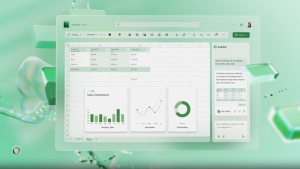
- Advantages of Excel:
_Excel software has so many advantages and features that you could write a book of several hundred pages about it and there would still be advantages that were not mentioned, but here is a small part of the advantages and capabilities of Excel software:
1: User-friendly:
_Excel’s simple and understandable interface makes it easy for even novice users to work with it.
2: Flexible:
_Excel is suitable for a wide range of applications, from personal accounting to big data analysis.
3:Powerful:
_With thousands of advanced functions and tools, Excel can meet the complex needs of users.
4:Customizable:
_You can customize Excel using macros and add-ins.
5: Compatibility with other software:
_Excel integrates easily with other Microsoft Office software such as Word, PowerPoint, and Outlook. This feature allows you to share data between applications and create integrated reports.
6: Support for various file formats:
_Excel supports various file formats such as CSV, XML, PDF and even text files. This feature allows you to import data from different sources and create a variety of outputs.
7: Cloud capabilities and online collaboration:
_With Excel Online and OneDrive, you can store your files in the cloud and collaborate with others online. This feature is especially useful for remote teams.
8: Templates:
_Excel offers hundreds of ready-made templates for various uses such as budgeting, project planning, time management, and even event planning. These templates will help you get started faster.

9: Big Data Support:
_With tools like Power Query and Power Pivot, Excel can handle large amounts of data. This feature is very useful for data analysts and businesses that deal with big data.
10: Customization:
_Excel allows you to fully customize your workspace. From changing colors and fonts to creating custom functions using VBA, everything in Excel is customizable.
11: Support for multiple languages:
_Excel supports multiple languages, making it a universal tool. You can use Excel in Persian, English, Arabic, and many other languages.
12: Ability to create interactive dashboards;
-Using tools like PivotTable, charts, and Conditional Formatting, you can create interactive and dynamic dashboards that help you display data in a visual and engaging way
13:Support for financial and statistical calculations;
_Excel includes advanced financial and statistical functions that allow you to perform complex calculations such as NPV, IRR, regression analysis, and statistical tests.
14: Machine Learning and Artificial Intelligence Capabilities:
_Newer versions of Excel have added features like Ideas and Forecasting that use artificial intelligence to analyze data and provide automated insights.
15;Ability to create automated reports;
_Using macros and VBA, you can automate the process of creating reports. This feature helps you save time and reduce human errors.

- What is a cell in Excel?
A cell is an element or so-called “object” in Excel that can contain data. Each cell in Excel is referred to by a combination of column name and row number.
So the address of the first cell in Excel will be “A1” (A is the name of the first column and 1 is the number of the first row in the Excel sheet). The Excel spreadsheet is formatted in such a way that it looks like a table, and the intersection of columns and rows results in the formation of blocks that we call “cells”.
- Importance of knowing Excel:
_Despite the ability of accounting software to prepare financial reports, sometimes we need reports that are not provided in these software. In such situations, it is Excel software that can help us in preparing these reports. But there is a problem.
You must be asking, what’s the problem?
_The problem is the lack of knowledge of this software. It is the knowledge of Excel’s capabilities that can help us a lot in carrying out daily tasks and preparing financial reports. But unfortunately, most of us, due to this lack of knowledge, spend many hours every day on repetitive and boring tasks. Whereas if we had a good knowledge of Excel’s tools and capabilities,We could do the same tedious task with greater accuracy in a few minutes. Therefore, understanding the capabilities of this software should be the first concern of an accountant. Once we have the knowledge, we start training to use it. It is important to know whether Excel can help us or not.
- Advantages of using Excel:
1. High flexibility: Ability to customize for different needs
2. Computing power: Ability to perform complex calculations and write formulas
3. Strong analytical tools: Ability to analyze data with various tools
4. Ability to create charts: Visually display data with a variety of charts
5. Integration with other software: Easy connection with other office programs
- Disadvantages of using Excel:
1. Data volume limitation: Slow performance when dealing with very large data
2. Low security: Poor data protection against unauthorized access
3. Human error potential: Possibility of incorrect data entry by users
4. Complexity in advanced applications: Requires specialized knowledge to use advanced features
- Why should I learn Microsoft Excel?
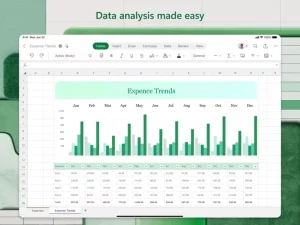
_In simple terms, Excel is very useful for calculations and drawing charts. We all deal with numbers in one way or another. We all have daily expenses that we pay from the monthly income we receive. For a person to spend wisely, they need to know their income versus their expenses. Microsoft Excel is useful when we want to record, analyze and store such numerical data.
- The main uses of Excel are:
- Data Entry
- Data ManagementAccounting
- Financial Analysis
- Chart Drawing
- Programming
- Time Management
- Task Management
- Financial Modeling
- Customer Relationship
- Management (CRM)
- What is the history of Excel?
-To understand the history of Excel, you need to know its production and development process.
_Microsoft initially released a spreadsheet program called Multiplan in 1982,
which was very popular on CP/M systems;
_but on MS-DOS systems it lost its popularity to Lotus 1-2-3
_This led to the development of a new spreadsheet called Excel,
_which was launched with the goal of “doing everything Lotus 1-2-3 did better.”
_The first version of Excel for the Mac was released in 1985, and the first version for Windows in November 1987.
_This success, the emergence of the software king of the world, solidified Microsoft as a credible competitor and
showed its future in graphics software development
_Microsoft is increasing its advantage with regular new releases, every two years or so.
_The current version for the Windows platform is Excel 365, also called Microsoft Office Excel 2019, and
_The current version for the Mac OS X operating system is Microsoft Excel 2019.