
What is HTML? Zero to One Hundred HTML Language Tutorial
HTML Language: An Exciting Gateway to the World of Web Design!
Have you ever wondered what the magic behind the colorful and dynamic web pages is? The world where billions of people browse every day? If the answer is yes, I must tell you with great excitement: HTML is your key to entering this marvelous land! HTML is not a programming language, but a markup language, yet without it, no website would exist. Are you ready to learn the alphabet of web structure from zero to one hundred and take the first step toward the profitable path of Front-end Development? Then buckle up…
What is HTML and What is its Use?
_ HTML is actually a markup language, not a programming language.
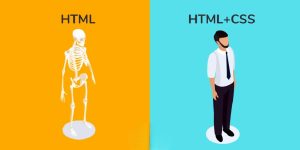
_This means that instead of executing commands, it specifies the structure and skeleton of a web page.
- _With HTML, you can define:
- Where the title is
- Where the paragraph is
- Where images and links should be placed
- And even the form of buttons and tables
- In fact, HTML is like the skeleton of a website; without it, no content will be displayed.
Why Should You Learn HTML?
Learning HTML is the first step to entering the world of web design and development. By knowing HTML, you can:
_ Build simple and appealing pages
_ Combine it with CSS and JavaScript to bring your sites to life
_ Enter the web design job market
_And ultimately achieve excellent income
_ Even if you are a graphic designer, an SEO specialist, or a content producer, learning HTML will help you become more professional.
What is the Structure of HTML?
HTML codes are made up of “Tags.”
Each tag usually consists of two parts: <tagname> content </tagname>
For example, to write a paragraph: <p>This is a paragraph.</p>
Tags become intuitive over time, and you will easily learn to use them.
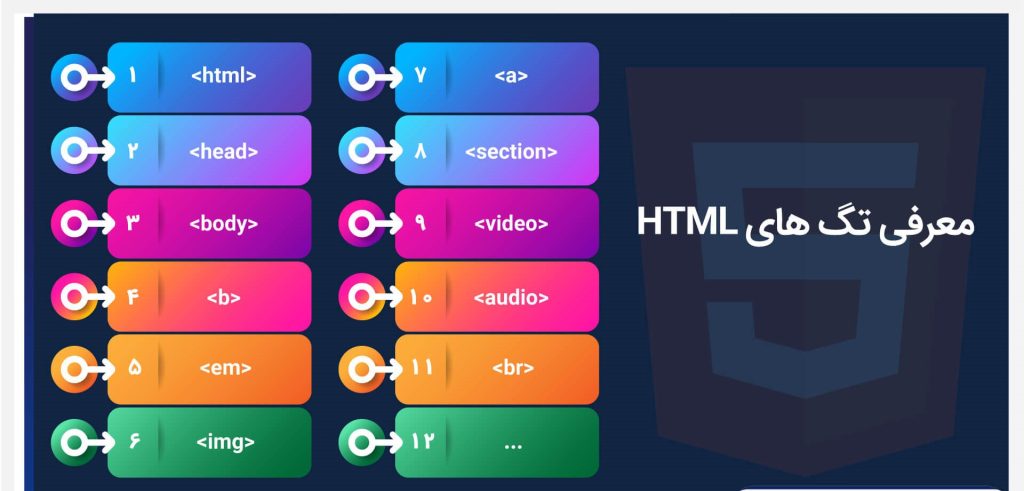
The Most Important HTML Tags You Must Know
<html> The beginning and end of the HTML document
<head> The configuration and information section of the site
<title> The site title in the browser tab
<body> The visible content on the page
<h1> to <h6> Headings
<p> Paragraph
<img> Displaying an image
<a> Creating a link
<div> and <span> Dividing sections
The Relationship Between HTML, CSS, and JavaScript
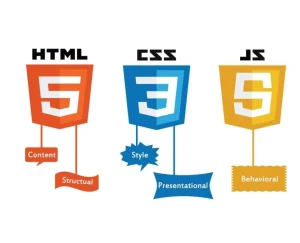
HTML alone builds the structure, but you need two powerful partners for the site’s appearance and behavior:
CSS (Cascading Style Sheets)
With CSS, you can set the color, font, size, background, and overall look of the site.
CSS essentially creates the beauty and style of the site.
JavaScript
JavaScript makes your site interactive and dynamic.
Like clickable buttons, animations, forms, and motion effects.
The Conclusion:
HTML = Structure
CSS = Appearance (Style)
JavaScript = Functionality (Behavior)
Income and Job Market for HTML in Iran and the World
You might ask, “Does learning just HTML generate income?”
_ Answer: Not much on its own, but with CSS and JS, yes!
When you learn HTML, your path to the world of Front-End Development opens up.
_ The income of web designers in Iran varies from 15 to 60 million Tomans per month, and in foreign countries, it can even reach $5,000 per month!
– If you know HTML, you can perform the following tasks:
- Designing Landing Pages
- Designing WordPress Themes
- Building professional Email Templates
- Designing User Interface (UI)
The Learning Path for HTML from Beginner to Pro
To learn HTML fundamentally, all you need to do is proceed step-by-step:
1:Familiarity with Basic Concepts:
First, understand exactly what HTML is and how it works with the browser.
2:Learning Tags and Page Structure:
Practice building the page structure and arranging different elements.
3:Practicing Simple Projects:
For instance, creating a personal profile page or a simple store.
4:Learning CSS for Site Beauty:
With CSS, you can make your pages more beautiful and professional.
5:Adding JavaScript for Dynamism:
For forms, buttons, and user interaction with the site.
6:Familiarity with HTML5:
The latest version of HTML with more modern features like video, audio, and semantic tags.
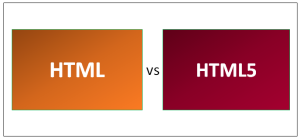
What is HTML5 and What is its Difference?
_ HTML5 is the latest version of the HTML language, offering many more capabilities than previous versions. For example:
_ New tags like <video>, <audio>, <header>, <footer>
_Better compatibility with mobile devices
_Faster site loading speed
_And increased security
If you are just starting, learn HTML5 directly, as it is the current global standard.
Necessary Tools and Software for Working with HTML
To begin learning, you only need a browser (like Chrome or Firefox) and
a simple editor. My suggestions:
Visual Studio Code: The best free and lightweight editor
Notepad++: Simple and suitable for beginners
CodePen or JSFiddle: For online practice without installing software
Exciting Projects for Practicing HTML
- Building an online personal resume
- Designing a brand introduction page
- Creating an advertising email template
- Designing user registration and login pages
- Every project you complete multiplies your skill!

The Future of HTML in the Programming World
_The HTML language will always remain alive!
_Because as long as the Web exists, HTML is its “beating heart.”
_No new framework or language can replace it.
_Therefore, learning HTML means building a solid foundation for your career and digital future.
Final Summary
The HTML language is like the first brick of the Web world’s building. Without it, no website exists. By learning it, you can not only perform web design but also enter a path full of career opportunities and high income. So, start today and step into the world of professional designers and programmers.